
Welcome to Paralives
Current public patch line: 0.1.8 · sources reviewed October 5, 2026
Your journey starts on a train to Melino. This guide covers everything you need for Early Access — Paramaker, your first job, and avoiding costly beginner mistakes.
Starting the Game
Your save opens on the train into Melino. The ride doubles as the control tutorial, and Paramaker is available before you unpack in town—use that window to decide how this household will actually play.
- check_circle Let the onboard tutorial finish once. Camera, interaction prompts, and pause habits are easier to learn here than after bills arrive.
- check_circle First save: Town mode beats an empty lot. A furnished starter home lets you test jobs, needs, and social systems without also funding a full build.
- check_circle Treat the train as planning time, not filler—lock in Paramaker choices you will not want to rebuild after income and relationships start.
PRO TIP
Secure a paycheck before a makeover. Steady Paradimes on week one prevents the classic trap of a beautiful house with no food money.
Quick Controls

Early Access Reality Check
Paralives launched into Early Access with the core life-sim loop already playable, but it is still a changing game. The safest first save is one that lets you learn Melino, test jobs, and understand needs before you build a huge household story around systems that may shift after patches.
Play now if you enjoy systems testing
Choose Early Access if you like discovering routes, reporting rough edges, and adapting after hotfixes. Treat the first household as a learning file, not your forever legacy.
Wait if you need complete life stages
If you only enjoy polished, complete simulation arcs, wait for more roadmap items to land. A delayed first playthrough may be better than burning out on missing or reworked systems.
Use two saves from day one
Keep one clean story save and one sandbox save for cheats, mods, and patch tests. This single habit prevents most Early Access regret.
How this guide handles uncertain systems
When official pages confirm a system, this guide writes it as fact. When a detail comes from live play, patch notes, or community testing, the advice is framed as a decision rule instead of a permanent number. That keeps the page useful after updates instead of pretending Early Access is frozen.
Watch: Official Gameplay Overview
Gameplay Trailer
Official gameplay trailer (~8 min) showing Paramaker, Build Mode, and Live Mode flow—useful before your first save.
Early Access Launch Trailer
Early Access launch trailer summarizing tone and features; pair it with this written guide for practical steps.
Day 1 Decision Tree
Use this flow when you land in Melino on build 0.1.3 or newer. It turns the train intro into a checklist—not a sightseeing loop—before you open the full week plan below.
Verified against official patch notes through 0.1.5 (July 2, 2026). If Workshop mods hang on "Reimporting assets," launch with mods off and re-enable one at a time — see the Updates page.
thumb_upDo in this order
1. Finish the onboard tutorial
Learn camera, interactions, and pause before bills and needs pressure starts. Patch 0.1.2 also fixed the relationship editor blocking the train ride.
2. Lock Paramaker Personality — not just looks
Storyteller, Talents, Traits, and Lifestyles decide how hard work, mood, and relationships feel. First save: Jack-of-All-Trades leaves room to learn.
3. Start in Town mode with the furnished home
Test needs, work, and social loops without also funding an empty-lot build from zero.
4. Walk central Melino and note the Town Hub
Day 2 job hunting goes faster if you already know where services, computers, and regular NPCs cluster.
5. Open Settle Home once you unpack
The in-game week-one checklist tracks basics—job prep, decor, cooking—before optional collectible hunts.
End-of-Day 1 goal: controls feel natural, household identity is set, and you know where tomorrow’s job board lives—not a fully renovated house.
blockStop — save these for later
Empty lot on your first save
You pay rent and needs while also funding walls and furniture from scratch.
Major renovation before any income
Decoration feels productive but Paradimes run out before your first paycheck.
Cheats on your main story save
Money cheats flatten career and skill goals—you will not learn what the game is actually asking.
Good at Nothing Storyteller (unless you want a hard run)
Every skill and job mistake costs more while you are still learning controls.
Chase every town event on Day 1
Thin relationships and scattered errands burn Energy before you have a job rhythm.
Ready for Day 2 onward? Continue with the full week plan in the next section, or read Patch 0.1.3 notes if you are returning after a break.
Returning After Patch 0.1.3 (June 2026)
Patch 0.1.3 was the first Live Mode feature drop after EA launch—Unpacking collab, group dining, teen romance, and a photosensitivity fade option. Hotfix 0.1.3b (June 12) fixed Workshop loads hanging on “Reimporting assets.” Here is what changes for your save habits.
Unpacking collaboration
Parafolk can play Unpacking on computers and collect themed stamps and décor. It is optional flavor—not a money or career shortcut. Good for sandbox screenshots or Fun on a rainy evening; skip it on Day 1 if you still lack a job rhythm.
Eat as a group
Group meals now give each Para their own portion—plan one shared dinner instead of serial solo fridge runs. Drag-select your household before initiating; it pairs well with Together bar progress after work.
Teen romance gates
Teens can flirt and date other teens—stage still controls eligible interactions. Do not SETAGE teens to adults just to unlock adult romance; you skip school weeks and Label gates you have not played. Use a duplicated sandbox save for romance experiments.
View-blocking fade speed
Settings now let you change how fast trees and buildings fade when they block the camera—useful for photosensitivity. Does not affect gameplay logic; tweak it once if zooming in tight lots makes you uncomfortable.
If you use Workshop mods
Stuck on Reimporting assets after 0.1.3b? Launch once with all mods disabled, confirm the save loads, then re-enable mods one at a time. Test cheats on a mod-free copy—see the Mod guide.
- checkRun HELP in the cheat console after updating—command names can shift between hotfixes.
- checkRe-read teen life-stage goals if you paused before June 6—romance options expanded.
- checkFire and save stability improved in 0.1.2/0.1.3—still keep manual saves (F5) before risky debug.
- checkFull changelog lives on the Updates page.
Day 1 to Day 7 Beginner Path
Follow this week-long plan to go from brand-new player to confident Parafolk life.
-
1
Day 1: Finish the train tutorial, lock Paramaker choices, start in Town mode, and map central Melino.
Do not rush through the train ride. Use it to learn camera movement, basic interactions, and Paramaker choices before the game starts tracking your daily routine. Town mode is safer for a first save because a furnished home lets you test needs, work, and social systems without also solving an empty-lot build problem.
-
2
Day 2: Locate Town Hub services, meet two or three neighbors, and apply for a realistic first job.
Treat this as your orientation day. Visit the central services, talk to a few Townies, and check job options before spending money. A modest first job gives you predictable Paradimes, which makes later decorating and skill training much less punishing.
-
3
Day 3: Practice Build Mode on a flat lot—move, resize, undo—before touching your real home.
Paralives' build tools are powerful because they allow gridless placement, resizable objects, curved walls, and deep recoloring. Start with small edits: move furniture, resize a window, test the grid toggle, then undo. This teaches the tool logic without risking your whole home layout.
-
4
Day 4: Work a shift, stabilize needs around the job, and test one low-pressure social activity.
Before your shift, stabilize Energy and Hunger first; they are the easiest needs to misjudge. After work, use low-pressure interactions such as chatting, eating out, or shared activities to build early Together progress without exhausting the schedule.
-
5
Day 5: Run one short outing—restaurant, collectible, or errand—without draining needs before payday.
Exploration is not just sightseeing. Restaurants solve Hunger away from home, collectibles provide extra cash, and the town layout teaches you where future jobs, social visits, and errands will happen. Keep the trip short if your Para's needs are already dropping.
-
6
Day 6: Label the save: progression (jobs/skills) or sandbox (build experiments)—do not mix both accidentally.
If you want normal progression, keep cheats off and invest in skills, work, and small upgrades. If you mainly want to build, use money tools deliberately and separate that save from your story save. This keeps experimentation fun without flattening every long-term goal.
-
7
Day 7: Pick one next-week goal, skim the Update Tracker, and note which mods you trust for EA saves.
Early Access will change over time, so your best long-term plan is flexible. Pick one main direction for the next week: career growth, relationship storytelling, home building, or personality progression. Then follow updates so new features do not surprise you mid-save.
Explore Melino with a purpose
Patch 0.1.7 adds street addresses, a townie-map toggle, direct invitations to your current lot, and a tunnel access fix. On day one, pin the Town Hub, one food stop, and your workplace; from day two onward, use addresses instead of wandering when Energy is already low.
Parafolk Needs
Keep your Parafolks happy — neglected needs cause bad moods and hurt job performance.
Hunger
Effect: Hunger drops mood fast and ruins work shifts if ignored before leaving home.
How to fulfill: Cook at home, order delivery, or eat out when time is tight
Energy
Effect: Low Energy slows everything—skills, conversations, and even walking across town.
How to fulfill: Full sleep first; sofa naps only as emergency top-ups
Hygiene
Effect: Clean Paras get smoother social outcomes; grime stacks awkward mood hits.
How to fulfill: Shower before dates or group outings
Bladder
Effect: Let it hit zero and the game interrupts whatever you were doing—plan bathrooms on long outings.
How to fulfill: Use any restroom before long activities
Fun
Effect: Fun is the need players forget while grinding money; low Fun breeds negative emotions that leak into work.
How to fulfill: Short TV, music, dance, or playful social time
Social
Effect: Loners burn Social quickly; even introverted saves need brief, repeated contact.
How to fulfill: Chat with housemates, repeat town visits, or use Together Cards
Need Management Strategy
Think of needs as a daily planning system, not six separate meters. Energy and Hunger should be handled before work or long outings, Hygiene and Social matter most before meeting people, and Fun is the easiest to forget because it often drops while you are chasing money or skills. A good first-week habit is to fix two needs before leaving home, then use restaurants or social activities to cover the rest while already out in Melino.
PRO TIP
Before work: fix Energy and Hunger. After work: Hygiene, Social, then Fun—this order matches how most town days actually flow.
Relationships & Together Cards
Relationships are built by repetition, not one heroic conversation. Together Cards define the story once the bar is full.
- linear_scaleEach pair has a Together Bar. Small, positive repeats fill it faster than rare grand gestures.
- styleTogether Cards branch into friendship, romance, or family tones—pick deliberately because they steer future interactions.
- sentiment_satisfiedStrong bonds mean NPCs show up for tasks, cheer mood, and accept deeper activities.
- favoriteRomance usually needs a solid friendship base first, then a romantic card—not a cold approach on day one.
Beginner Relationship Plan
Pick two or three Townies for your first week instead of greeting everyone once. Repeating simple, positive interactions with the same people builds a more useful bond than spreading your time too thin. Once a relationship has momentum, use Together Cards to define whether it becomes friendship, romance, family warmth, or a more complicated story.
Common Social Mistake
Do not start important romantic or conflict interactions when your Para is hungry, exhausted, or already upset. Needs and emotions shape social success, so fix the basics first if you care about the outcome.
PRO TIP
Group-select Parafolk before social activities when possible—one outing can raise multiple bars instead of three separate visits.
Emotions
You cannot toggle emotions manually—they arrive from needs, events, and social outcomes. Treat them as timing signals.
- layersFifteen emotions can layer at once, even conflicting ones—promotion joy and breakup sadness can coexist.
- sentiment_very_satisfiedHappy and Inspired windows are when to push jobs, skills, or relationships; ride the bonus instead of idle waiting.
- sentiment_dissatisfiedSad, Stressed, or Angry moods tax performance and shrink social options—fix the trigger before forcing big moments.
- directions_walkIntensity 4+ changes walk style—a quick visual clue that mood is dominating the day.
- psychology_altThought Panel emotion cards list linked Wants; click them to see what the game wants you to address next.
5 Vibes & Emotions
Overjoyed
Overjoyed leans Happy and spreads a small aura—great for households that live on social energy.
Gloomy
Gloomy feels heavy, yet skills can still climb while Sad—useful for quiet, skill-first saves.
Energetic
Energetic adds an Energy reservoir for packed days; spend it before scheduling back-to-back outings.
Serious
Serious can enter In the Zone to punch skills hard—pair with planned meals so you do not burn out after.
Jester
Jester trades predictability for surprise moods and bonus AP spikes—better once you know need rhythms.
How to Use Emotions Instead of Fighting Them
Emotions are useful signals. If a Para is Sad, do a quick Want that directly improves mood before starting a skill grind. If they are Happy or Inspired, spend that window on work, learning, or relationship progress. If emotions stack in conflicting ways, solve the strongest negative trigger first, then use the remaining positive mood as a bonus rather than waiting for a perfect state.
PRO TIP
Serious + In the Zone is a skill sprint button, not a lifestyle—schedule food and sleep right after or the next day collapses.
Wants & Life Goals
Personality levels come only from finishing Wants and Life Goals—treat them as your long-term XP engine.
- boltWants pop from current mood (up to three). They are quick mood fixes with small XP—clear Sad Wants before grinding skills.
- targetLife Goals are slower arcs with large XP payouts; refresh them through the Goals menu and Story Cards when stories shift.
- campaignNoticeboard errands are daily spice; grab them when they align with where you already planned to go.
- trending_upEach Personality level offers Talent, Vibe, or Perk picks—plan one theme per level instead of chasing every icon.
Recommended Level-up Path
1. Talent first
First level is always Talent—take the skill lane you are already practicing, not a distant fantasy.
2. Vibe evolution
Second level: Vibe evolution if your mood plan depends on it (Serious for work, Overjoyed for social saves).
3. Perk or Vibe
Later levels alternate Perks for household playstyle or double down on the same Vibe if the story supports it.
Practical Examples
Use short Wants when you need momentum: watch TV to recover from sadness, chat with a neighbor to cover Social, or practice a skill while a positive mood is active. Save Life Goals for longer arcs, such as building a career, reaching a skill milestone, or shaping a relationship story. This split keeps Personality XP moving without turning every day into a checklist.
PRO TIP
Week one: chain easy Wants for steady XP. Week two onward: anchor days around one Life Goal so Personality growth matches your story.
Your Daily Loop: Needs, Emotions & Wants
Paralives does not hand you a Sims-style moodlet list—you choose how your Para reacts to feelings, then pick short-term Wants that shape the day. Treat each in-game day as three blocks: morning prep, paid time, evening recovery.
Morning block (before work or school)
Top off Hunger and Bladder at home—restaurant fixes are expensive on week one. Pin one easy Want (cook, shower, place decor) so it survives the nightly reset. If Energy is already low, skip long walks; bus for 3 Paradimes instead.
Work or school block
Stabilize Energy before the shift starts—a crashing bar mid-job wastes the whole outing. Pick a Work Stance that matches your Para's sleep Lifestyle: Hardworking earns faster but drains Energy. Strikes and mood still matter; money cheats do not erase them.
Evening block (social + sleep)
Use low-pressure Together time after work—shared meals, café sits, or hobbies—instead of spamming greetings. Group eating (patch 0.1.3+) fills Hunger while building the Together bar. Finish or pin Wants before bed; unpinned ones reset overnight.
When an Emotion card pops up
Click the Emotion card and pick a Want that fits the scene—not every reaction is optimal. Stressed Paras make worse career and romance choices; RELIEFALLNEEDS fixes body bars only, not Emotion meters. Let Fun and Social dip occasionally so you learn which bar breaks your schedule.
Wants checklist
- checkPin Wants you intend to finish tomorrow—pinned goals survive the nightly wipe.
- checkComplete easy Wants before sleep when Energy is high; they feed personality progression.
- checkDo not chase every Want at once—two active goals beat five abandoned ones.
- checkEnergy at zero can kill a Para in EA—not just pass out. Treat sleep as non-negotiable.
New to Together Cards? Read the Relationships guide after your first filled bar.
Story Save vs Sandbox: Name Two Slots
Storyteller (⋮ top-right or ESC) controls aging, bills, starting funds, and work auto-needs—not just difficulty flavor. Pick presets before you unpack; duplicate before you experiment.
Story
Story slot: keep Household Paras Age on, bills on, and a preset that matches your patience (Maxence balanced, Ricardo harder, Stella gentler with 35,000 ₱ start per official presets). Label the file Story—careers, Labels, and strikes stay meaningful.
Sandbox
Sandbox slot: duplicate the household, rename Sandbox, then turn off Household Paras Age or bills if you only want build tests. Starting Funds changes apply to new saves only—mid-game money needs cheats or jobs, not Storyteller tweaks.
- Never stack risky cheats on your only Story file—use ZIPSAVEFILE or Load-menu duplicate first.
- Non-Household Paras Age defaults off—townies stay frozen unless you enable it for a legacy town.
- Patch 0.1.3+ duplicate bug: copying the same save too many times can make filenames too long to load—export to library instead.
Five Settings Worth Checking Once
Patch 0.1.3 added accessibility and display fixes—open Settings after updating even if you played the train tutorial already.
- View-blocking fade (photosensitivity)
0.1.3 lets you change how fast trees and buildings fade when they block the camera—buildings fade instead of popping away. Tweak once if tight lots or zoom make you uncomfortable.
- Imperial units display
0.1.3 fixed imperial decimals (e.g. feet/inches). If build measurements looked wrong before June 6, recheck after updating.
- Storyteller aging toggles
Household Paras Age and Non-Household Paras Age live under Storyteller → Time. Disable household aging for a decorating sandbox; enable long Life Stage Duration for family saves.
- Bills and work auto-needs
Ricardo turns off auto eat/toilet at work—harder shifts. Stella/Maxence keep them on. Bills can be toggled for pure creative saves once you understand what they fund.
- Manual saves still matter
EA improves corruption odds but does not replace backups—duplicate in Load Game, export households/lots to library, and keep a Mods OFF slot if you use Workshop.
Patch update
Before resuming a household, assign beds, move prepared food to the refrigerator, confirm lifespan settings, review relationship Labels, and test mods on a duplicate save.
Returning After Patch 0.1.5
Patch 0.1.5 is mostly a safety and reliability update. Before judging new content, update your save habits: confirm Steam Cloud, check the autosaves, and recover or duplicate risky lots before heavy Build Mode edits.
- checkUse the three autosaves as a recovery net, not as a replacement for named story duplicates.
- checkTest mirror/hospital/pharmacy appearance editing on a copy if the Para is central to a legacy story.
- checkIf a lot misbehaves after mods or object edits, try the new lot recovery path before abandoning the household.
EA Save Safety: Do Not Lose Week One
Official known issues still list rare corrupted saves stuck on loading. Prevention beats recovery—build habits before mods or cheat chains.
- Keep at least two slots: Story + Sandbox (or Mods OFF). Duplicate before big renovations, SETAGE tests, or Workshop stacks.
- Export households and lots to the library—official recovery guide: paralives.com/news/fix-save-files.
- After 0.1.5: launch mod-free once after each patch—or use Mods toggle-all off—before touching your main household.
- If a save fails to load, stop overwriting it—note the last action and use gamefeedback with your build from Settings → About.
Cheats + heavy mods mix badly—run HELP on a clean copy after updates. See the Cheats guide.
Paramaker Character System

- adjustParamaker is more than cosmetics: body and face choices affect screenshots and family lines, but Personality choices decide money, mood, and career friction.
- music_noteTalents speed one skill family early. Pick the lane you will use in the first two weeks, not a fantasy endgame build.
- psychologyTraits and Lifestyles change autonomous behavior. A Para who hates mornings will fight a breakfast-shift job unless you plan around it.
Four Core Attributes
- fitness_centerPhysique — stamina for active days, physical jobs, and busy schedules
- psychologyMind — learning speed, computer work, and career preparation
- paletteCreativity — home income, art hobbies, and expressive play
- groupsCharisma — relationship speed, service jobs, and town networking
Storyteller Recommendation
- starFirst household: Jack-of-All-Trades keeps skill and career mistakes cheaper while you learn systems.
- boltVeterans only: Good at Nothing turns small tasks into drama—excellent for stories, punishing for efficiency.
Lifestyles
Match sleep and neatness to the job you intend to take. Night-owl Paras can thrive, but not on a strict morning service route without extra planning.
Life System Basics
- checkThe newspaper icon surfaces town events—check it when your schedule feels empty, not every single morning.
- checkSettle Home tasks are a guided to-do list for week one; finish them before chasing optional collectibles.
- checkWalk for free, bus for speed. Budget bus fares into early Paradimes math so you are not broke on arrival.
- checkJob boards live on the computer and phone. Apply where AP fits today, not where you hope to be in ten hours of grinding.
- checkIncome unlocks everything else. One stable job beats a fully decorated home that forces cheat-level budgeting.
Beginner Mistakes to Avoid
Renovation before revenue is the fastest way to stall a save.
Stay in the furnished Town home until work and needs are predictable, then remodel with spare cash.
Chasing every town event spreads relationships too thin—repeat visits with a few NPCs instead.
Ignoring Lifestyles creates hidden friction: neat Paras in messy homes, or night owls on sunrise shifts, fight you daily.
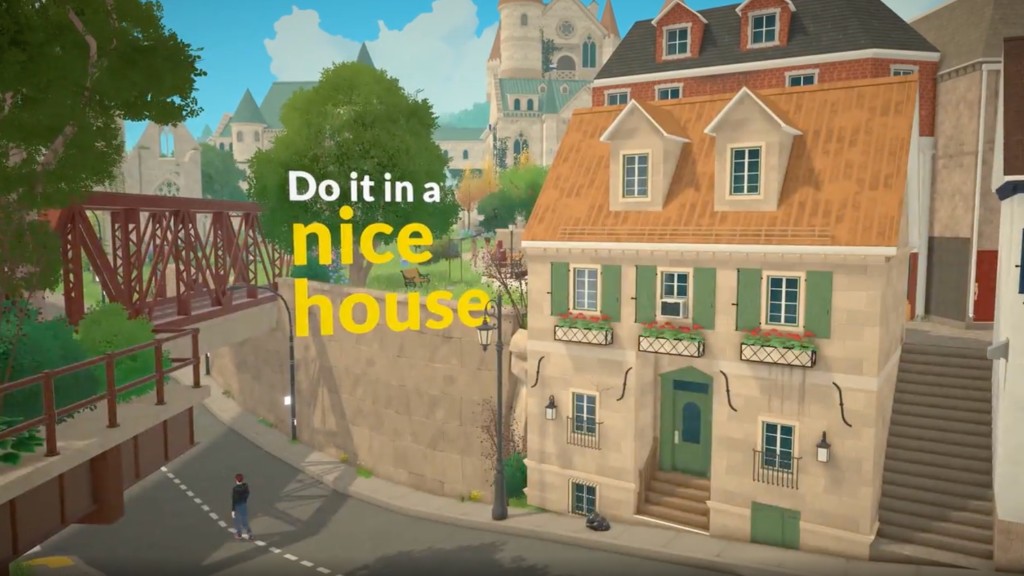
Enjoy the Journey
Paralives rewards deliberate pacing. Build architects, romance storytellers, and career grinders can all succeed—just pick one direction per week so progress feels real.
Sources and scope
Source review: October 5, 2026
First-week priorities, not a guaranteed optimal start.
The links distinguish official announcements from community references. Procedures and calculations are our editorial suggestions, not documented cross-platform playtests. Your installed build and settings take precedence.
Report a correction with the page, build and observed result